Hello,
I’m following SDK6 user guide and having issue with the step SDK EULA Acceptation
I have created the file <USER_HOME>/.gradle/gradle.properties
and added the following line to it systemProp.accept-microej-sdk-eula-v3-1c=YES
but I’m still getting the following error:
An exception occurred applying plugin request [id: 'com.microej.gradle.addon-library', version: '1.3.1']
> Failed to apply plugin 'com.microej.gradle.addon-library'.
   > The MICROEJ SDK End-User License Agreement (EULA) must be accepted before it can start.
     The license terms for this product can be downloaded from
     https://repository.microej.com/licenses/sdk/LAW-0011-LCS-MicroEJ_SDK-EULA-v3.1C.txt
     You can accept the EULA by setting the system property systemProp.accept-microej-sdk-eula-v3-1c=YES in a gradle.properties file
           - in your Gradle User Home folder (by default $USER_HOME/.gradle/),
           - or in the root folder of your project,
     or specifying the -Daccept-microej-sdk-eula-v3-1c=YES command line option,
     or setting the ACCEPT_MICROEJ_SDK_EULA_V3_1C=YES environment variable.
I’m on Window 11. and here is my file
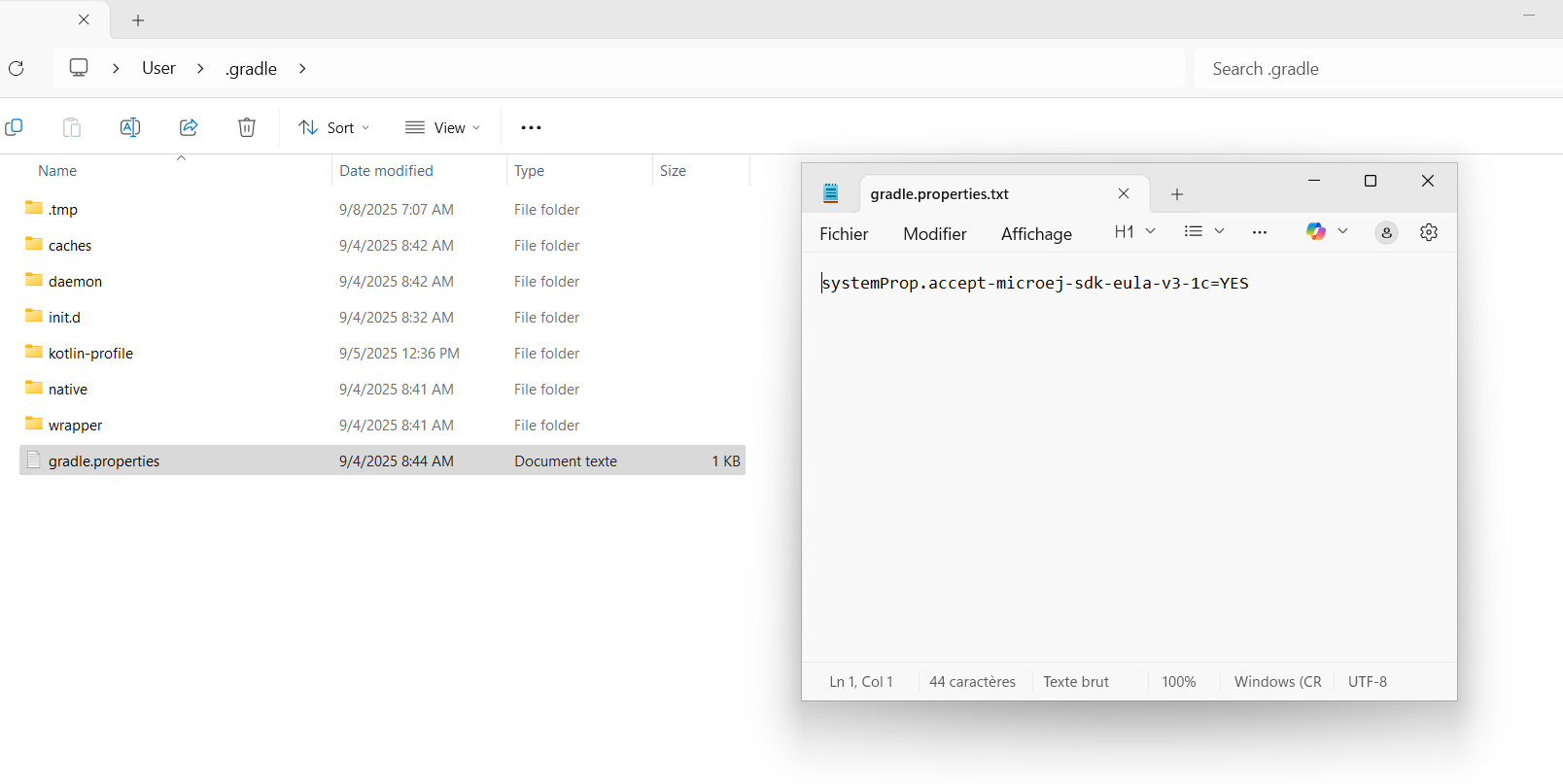
Thank you for you’re help.