Hi Alexis,
Thanks for your response.
We are trying to build a thermostat-style UI application on the FRDM-RW612 using MicroEJ. Since the official thermostat demo seems unavailable, we started from the simpleGFX app and created a custom screen (ThermostatScreen) to render basic text and temperature.
While integrating it, we encountered several issues:
- Some APIs like
GraphicsContext.drawString() and fillRect() were not found.
- We initially imported
ej.mwt.graphics.GraphicsContext, which couldn’t be resolved.
- We then tried using
ej.microui.display.GraphicsContext, but the required methods were missing.
- We also observed dependency conflicts between versions of
ej.library.ui:mwt and widget, and saw errors related to the missing ej.api:drawing:3.0.5(not sure about version number so tried 2-3 different).
It seems like the required drawing/vector graphics libraries are either incompatible or not supported on RW612.
Could you please guide us on the correct libraries and approach to implement a UI on this board?
Also, could you share a link or resource to find API documentation or references (e.g., javadoc) for MicroEJ UI development?
Thanks in advance for your help.
Best regards,
Nilesh
Hello Nilesh,
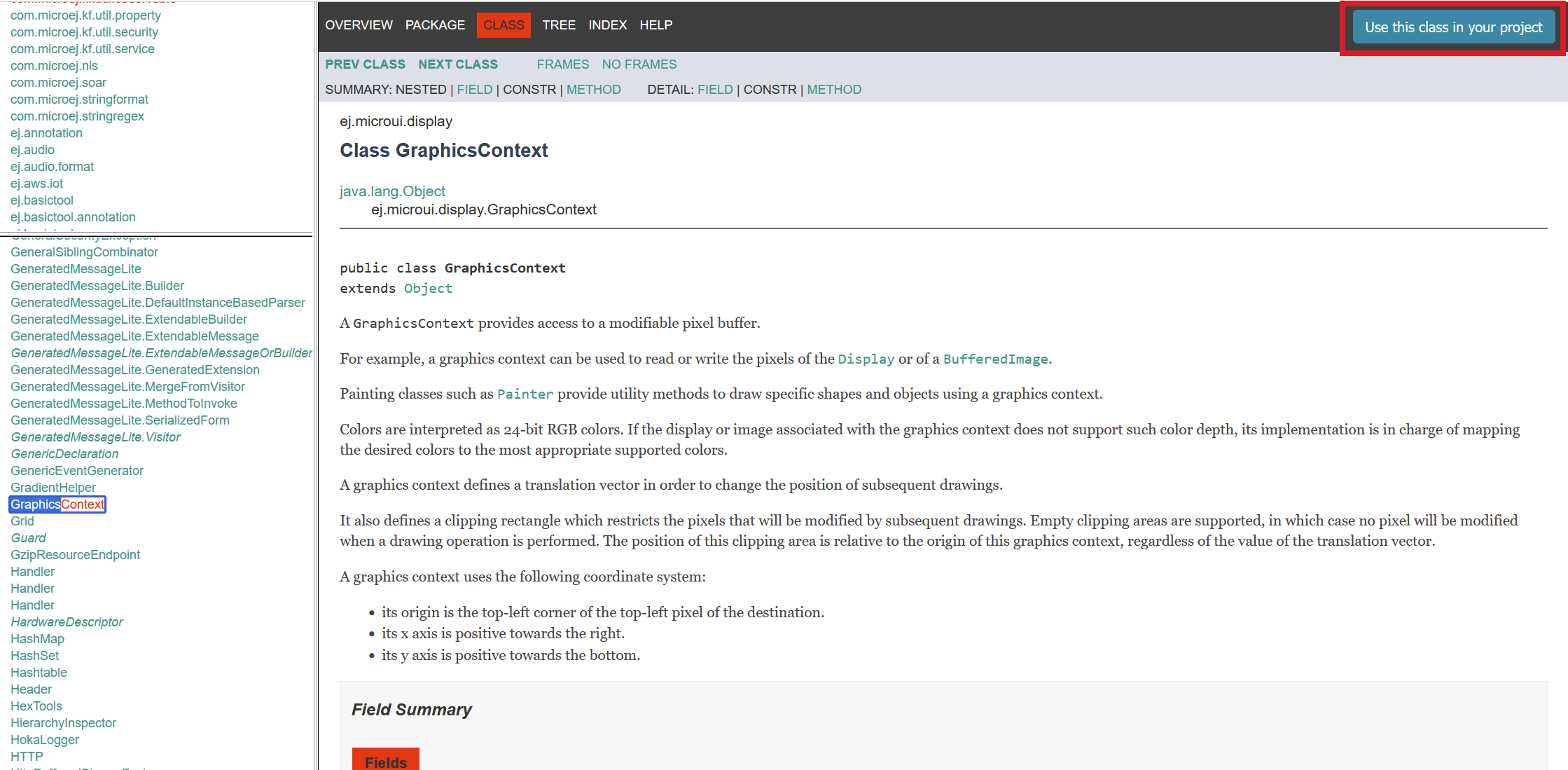
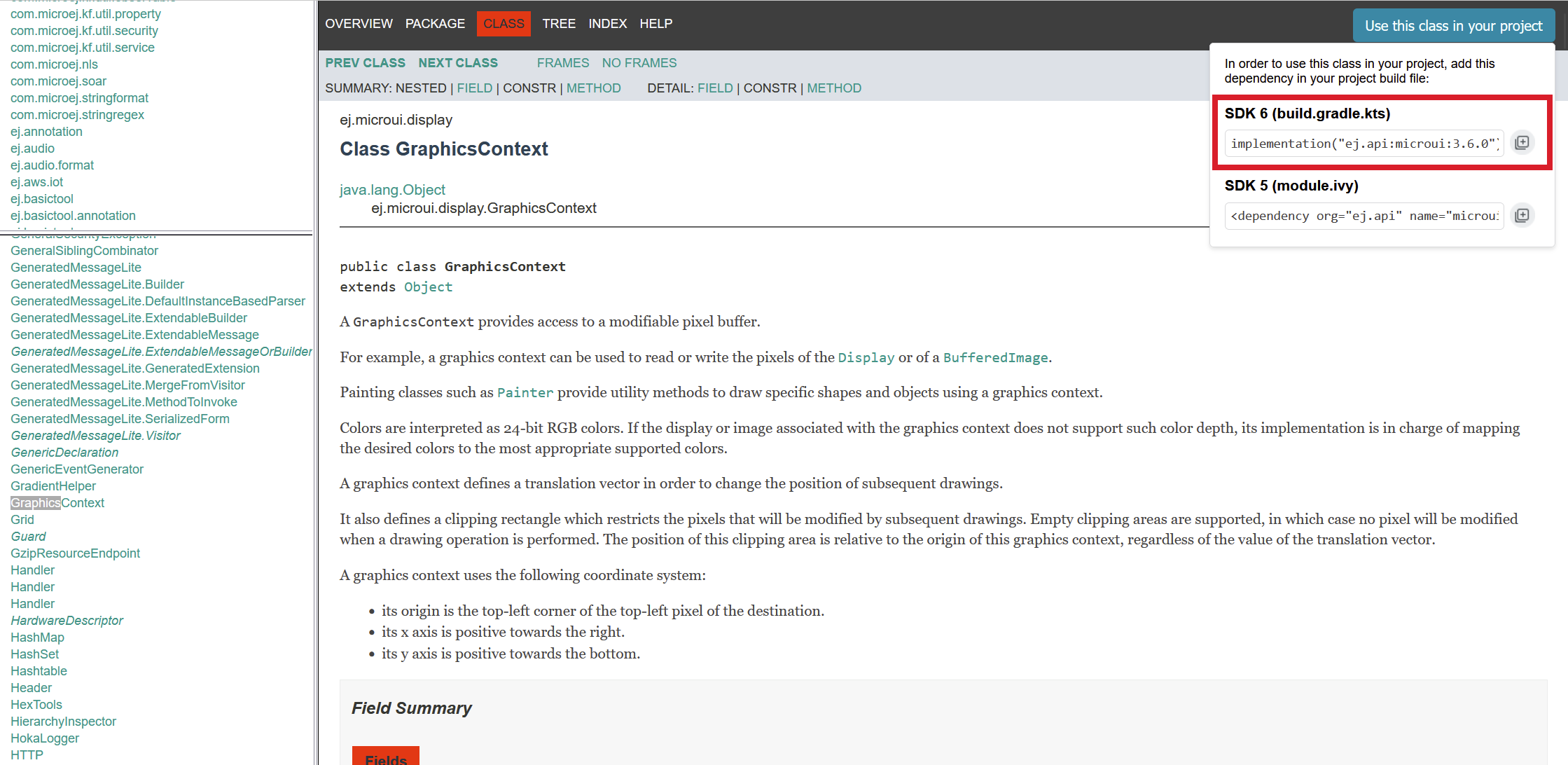
When using a class from a library that was not already used in your project, you can search it in our Javadoc. On the top-right corner of the screen you can find the dependency to add to your project’s build.gradle.kts. Here is an example for the GraphicsContext class which comes from the MWT library:
This gives the latest dependency version.
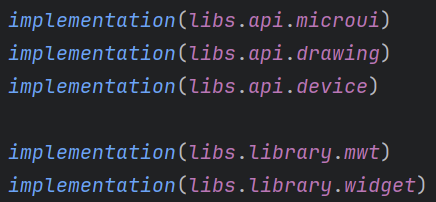
However, MWT, Drawing and Widget libraries are already included in the SimpleGFX application project:
The versions used are defined in the gradle/libs.versions.toml file.
You are trying to use the GraphicsContext.drawString() and GraphicsContext.fillRect() methods, but as you can see in the GraphicsContext Javadoc those methods do not exist. They are actually methods from the Painter class.
Regards,
Alexis
Hello Alexis,
I’m working on a SimpleGFX application in SDK6 for the FRDM-RW612 board.
I want to use custom fonts (e.g., LibertinusSans-Regular.ttf) and load them in my code like:
Font font = Font.getFont(“/fonts/LibertinusSans-Regular_22px-400.ejf”);
However, I’m unsure how to generate the .ejf font files in SDK6.
I read the UI Font Overview documentation, but that assumes using the older SDK with the Font Designer tool in Eclipse.
Since SDK6 is Gradle-based and plugin form (no full Eclipse SDK IDE), could you please clarify:
What is the correct way in SDK6 to convert .ttf to .ejf?

Can this be automated in build.gradle.kts for a project in apps/simpleGFX?

Are there any existing MicroEJ CLI tools or Gradle tasks for font generation in SDK6?
Thank you,
Nilesh
Hello Nilesh,
Unfortunately it is not possible to generate ejf fonts from the SDK 6 yet. Currently you have to use the SDK5 Dist.
Here is the documentation of the Font Desinger tool: Font Designer — MicroEJ Documentation.
Regards,
Alexis
Hello Alexis,
Thanks for the clarification on generating .ejf fonts. Since SDK 5 does not support the FRDM-RW612, I wanted to confirm:
- Is it accurate and safe to use
.ejf fonts generated from SDK 5 directly in our SDK 6 project for RW612?
- We tried integrating such fonts, but the screen only displays the background when loaded (works fine with default font fallback). Could you share an
.ejf file example for FRDM-RW612 + LCD PAR S035 using custom fonts, or detailed steps to make this work?
Also, is there any update on the Thermostat demo from the website—whether it’s planned or available for RW612?
Regards,
Nilesh Patel
Hello Nilesh,
As the tool is not yet available in SDK6, it is correct to generate the ejf in the SDK5 and to use it in the SDK6 project.
For the font display issue, do you have any error? If you don’t have any error, did you check that the text is drawn at valid coordinates and with a color different from the background color?
If you can share your code I can check if I see any issue.
Regards,
Alexis
Hello Alexis,
I was able to resolve the font issue.
As of now I am working on a project using FRDM-RW612**,** where I need to integrate a MicroEJ UI together with another RTOS application (Matter thermostat demo).
My goal is to have both the Matter stack and the MicroEJ UI running concurrently on the same board.
Could you please share your guidance on:
- What is the recommended way to integrate MicroEJ with an existing RTOS application?
- How should the MicroEJ runtime typically be started within such an environment?
- Are there mandatory initialization steps (e.g. display, memory, MicroUI) that must be performed before launching the MicroEJ VM?
- In this type of integration, is it best practice to run MicroEJ as a dedicated FreeRTOS task, or is there another preferred model?
Regards,
Nilesh Patel
Hello Alexis,
Did you got a chance to look at the queries I posted?
Hello @Nilesh.patel,
Sorry for the delay.
MICROEJ is usually run in a dedicated RTOS task (even though it can be run baremetal).
For the RW612 VEE port, the MICROEJ VEE is run in a dedicated FreeRTOS task.
My advice would be to keep the VEE Port structure and create a new FreeRTOS task for you Matter application. Did you want to use FreeRTOS or another RTOS?
Once you’ve managed to run boths apps concurrently, you can learn more on how to communicate between the MICROEJ application and the C code by reading the C / Managed Code Communication training.
Regards,
Alexis
Hello Alexis,
Thank you for the update. Yes, we are using FreeRTOS.
Just to confirm my understanding — when you say we should “keep the VEE Port structure and create a new FreeRTOS task for the Matter application,” does this mean we need to port the Matter stack into the MicroEJ example project?
From my perspective, porting the entire Matter stack into the MicroEJ VEE port seems more complex. Is it also possible to do the opposite — i.e., run MicroEJ as a FreeRTOS task inside the Matter SDK example? If yes, could you clarify which files from the MicroEJ VEE port are strictly required to integrate into the Matter SDK?
In case we follow your suggestion (Matter → MicroEJ base), could you also outline the main changes needed in the MicroEJ project to host the Matter task? For example:
- Where in the MicroEJ SDK we should add the Matter FreeRTOS task startup
- Any initialization ordering we must be careful with (display, memory, etc.)
- Whether we need to modify the MicroEJ VEE port files, or simply extend them with a new task
Meanwhile, I will go through the links you have provided.
This will help us decide whether to make MicroEJ the base SDK or Matter the base SDK.
Thanks & Regards,
Nilesh
Hello Nilesh,
After discussing with my colleagues, I think you could also create the RTOS task for MICROEJ in your Matter project. Then you can add the VEE Port BSP files to the link.
I will get some information on whether there are initialization order you must be careful or not.
Regards,
Alexis
Hi Alexis,
This approach seems doable — running MicroEJ as an RTOS task in the Matter project and linking the VEE Port BSP files. Please do share the details when you have them.
Could you also clarify how the display should be initialized? Should initialization be handled from the MicroEJ side or the Matter side? And which specific BSP files would I need to port to make this work?
Thanks,
Nilesh
Hello Nilesh,
I think you should keep the same folder structure and files as the RW612 BSP.
You can just exclude some of those folders if there are some features you don’t need.
For the UI initialization, with MICROEJ, it is done from the Java application code by calling the MicroUI.start() method. This method will then call the LLUI_DISPLAY_IMPL_initialize native, which will initialize the UI as explained here.
I don’t see any other specific point to be careful about for now. You can read the Create a VEE Port. As you are using the existing RW612 VEE Port you will not create one, but it can be useful to understand how a MicroEJ VEE Port should be integrated with an external BSP/C application.
Regards,
Alexis
Hi Alexis,
Thanks for your earlier guidance. We’ve kept the same folder structure as the RW612 BSP and are integrating the MicroEJ components accordingly. However, we’re currently facing linker issues while adding the MicroEJ libraries in MCUXpresso.
We’ve included microejapp.o and libmicroejruntime.a, but the build still reports undefined references such as SNI_createVM, _HeapAsFreeRAMSize, VEE_VERSION, and several __icetea__virtual__com_is2t_microjvm_... symbols.
Could you please confirm the correct method to link these MicroEJ libraries in MCUXpresso, and whether additional .a libraries from the BSP are required for proper linkage?
Best regards,
Nilesh
Hello Nilesh,
Those symbols should be in microejruntime.a.
In your message you wrote libmicroejruntime.a so it’s maybe just an error in the name of that file on your side.
Regards,
Alexis
Hi Alexis,
Thank you for the clarification. The file name on our side is indeed microejruntime.a — I had renamed it to libmicroejruntime.a earlier to match the -lmicroejruntime linker convention in MCUXpresso, but I’ve also tried using it under its original name (microejruntime.a) with both -l:microejruntime.a and direct path linking.
Despite that, the linker still throws undefined reference errors for symbols like SNI_createVM, _HeapAsFreeRAMSize, VEE_VERSION, and the __icetea__virtual__com_is2t_microjvm_... functions.
Could you please confirm if any additional MicroEJ libraries (besides microejruntime.a and microejapp.o) are required, or if there’s a specific linking order or flag expected when integrating with MCUXpresso?
Regards,
Nilesh
Hello Nilesh,
Could you share the link logs?
Regards,
Alexis
Hi Alexis,
Please find below the full linker log from the MCUXpresso build.
regards,
Nilesh
linker_logs.txt (24.2 KB)
Nilesh,
I don’t see the microejapp.o in the logs you sent. Please make sure you link it.
Please also make sure to link all the files linked in the build of the RW612 VEE Port.
Regards,
Alexis
console_logs.txt (140.7 KB)
Hi Alexis,
Thank you for your suggestions and guidance . I have verified that both microejruntime.a and microejapp.o are properly linked in the MCUXpresso project, and the linker now completes without any missing symbol errors.
However, I’m currently facing compilation issues related to display integration — specifically undefined types and macros such as ui_rect_t, FRAME_BUFFER_HEIGHT, and FRAME_BUFFER_WIDTH. In addition, I’m unable to find the file ui_vglite.h anywhere in the MicroEJ directory or BSP folders.
I’ve attached the latest build (linker) logs for your reference. Could you please confirm where ui_vglite.h and the related display configuration headers should come from, or if they are part of a specific RW612 MicroEJ BSP package?
Best regards,
Nilesh